
What is it?
Asset number, name, classification, brand type and only physical identifier.
RFID Software Products Platform
The assets are linked to the identity, responsible person, department, location, current status and business documents.
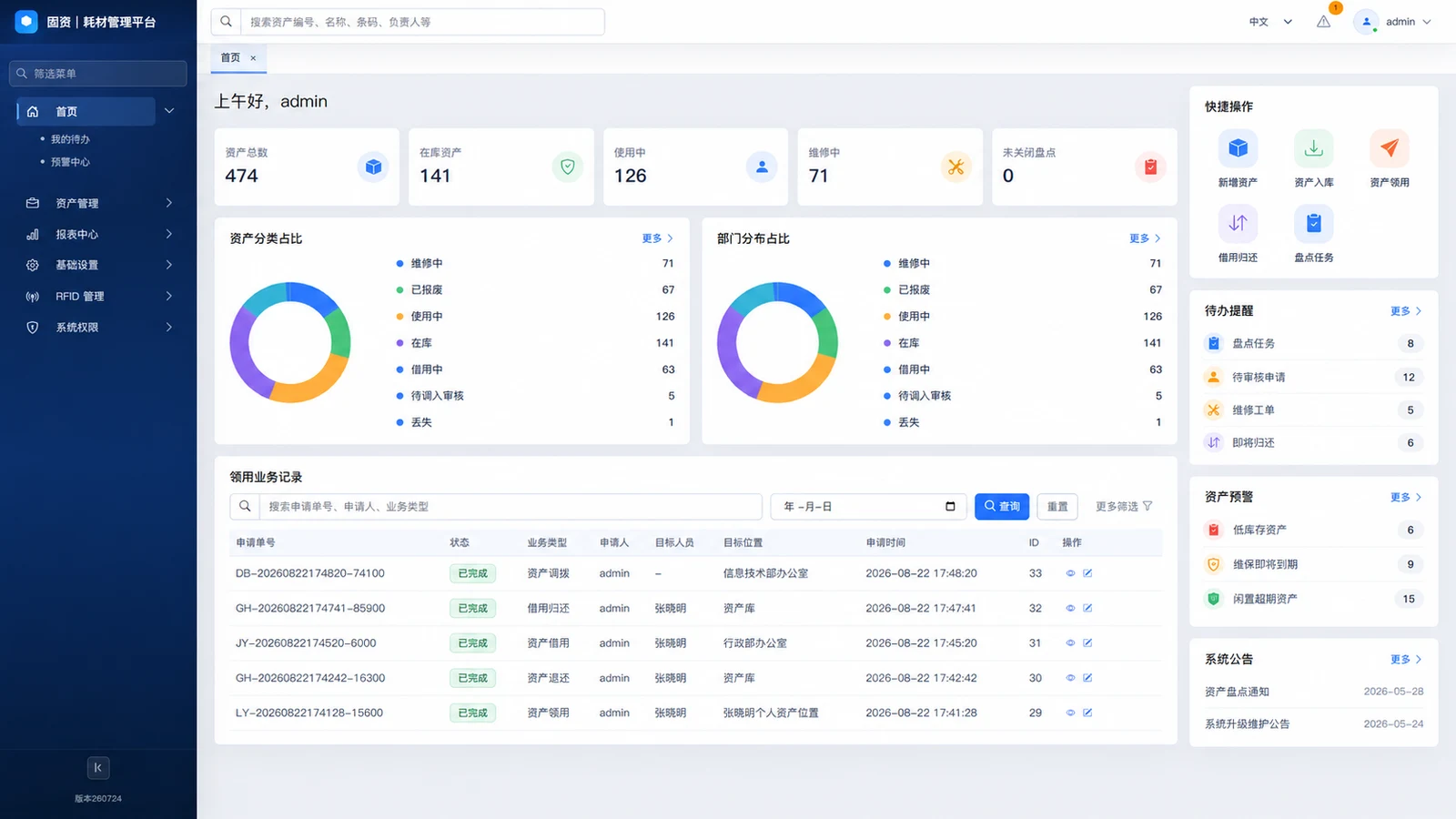
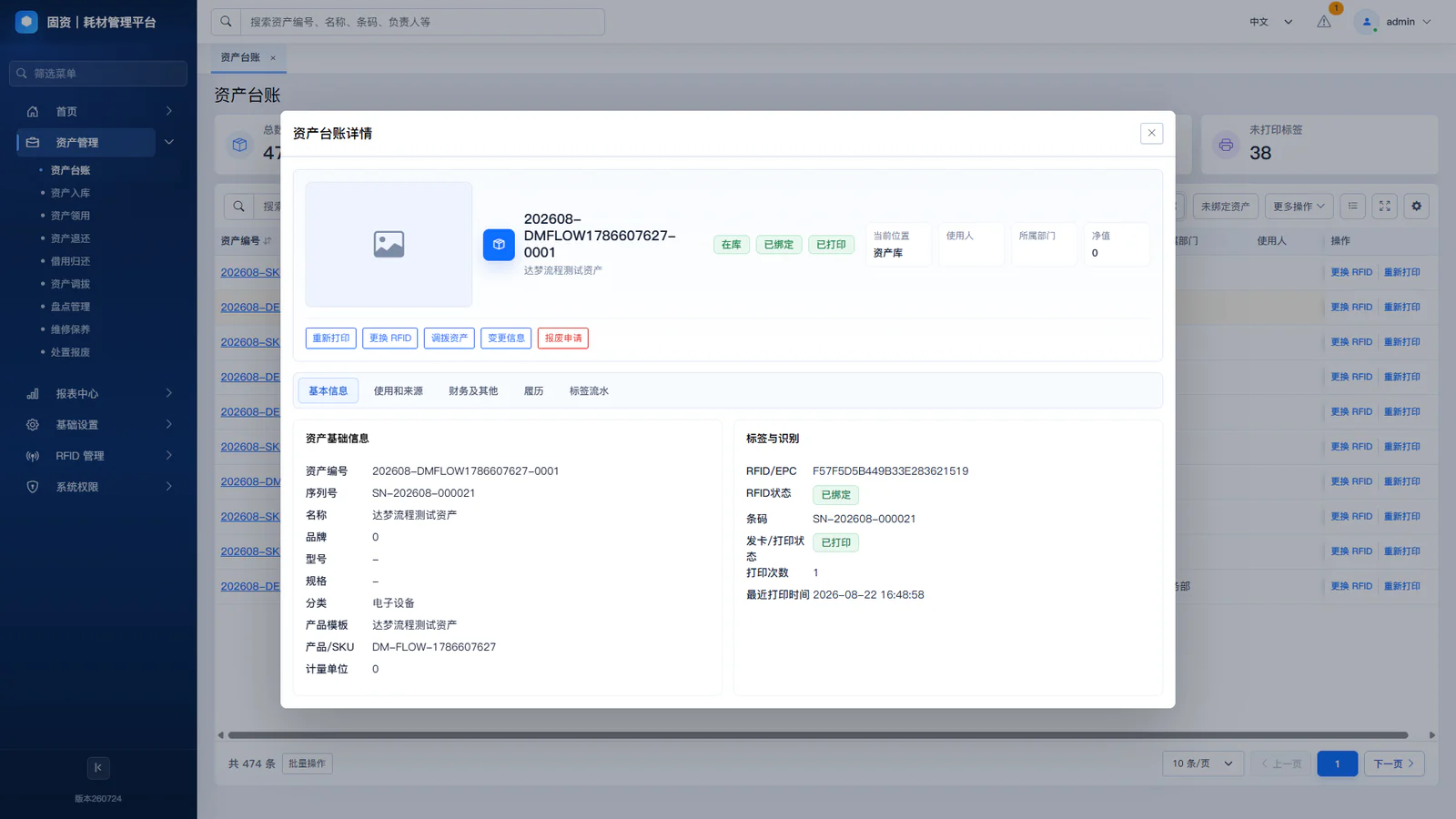
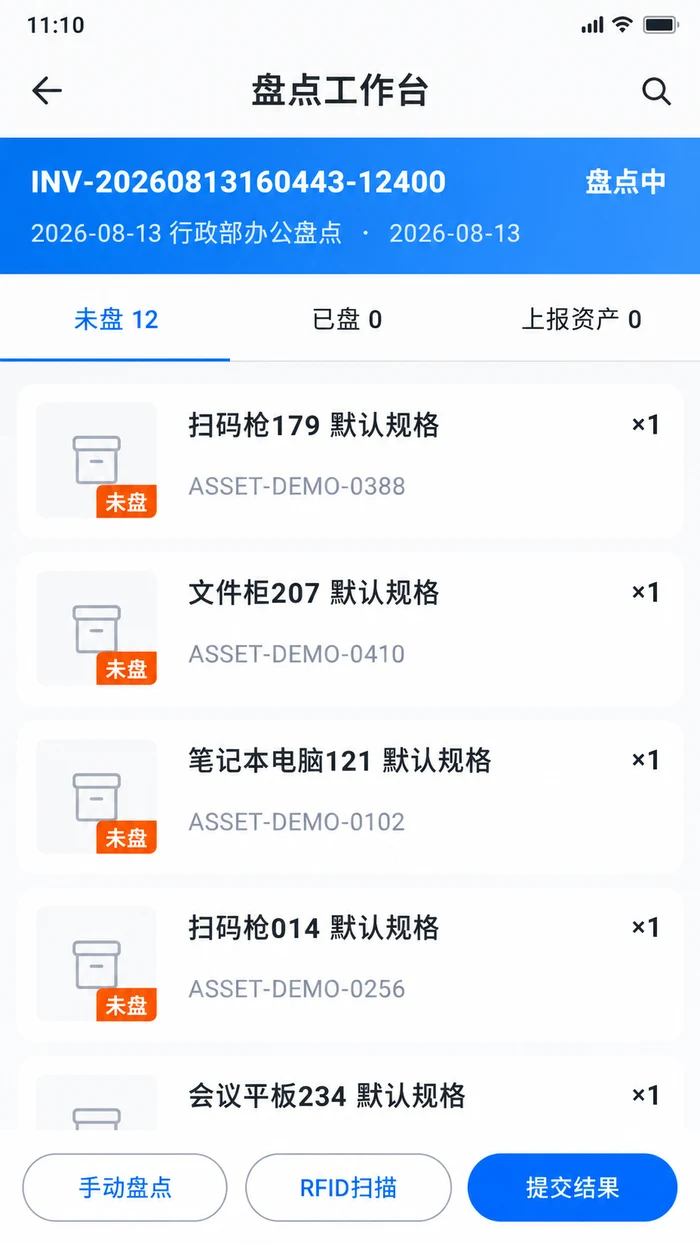
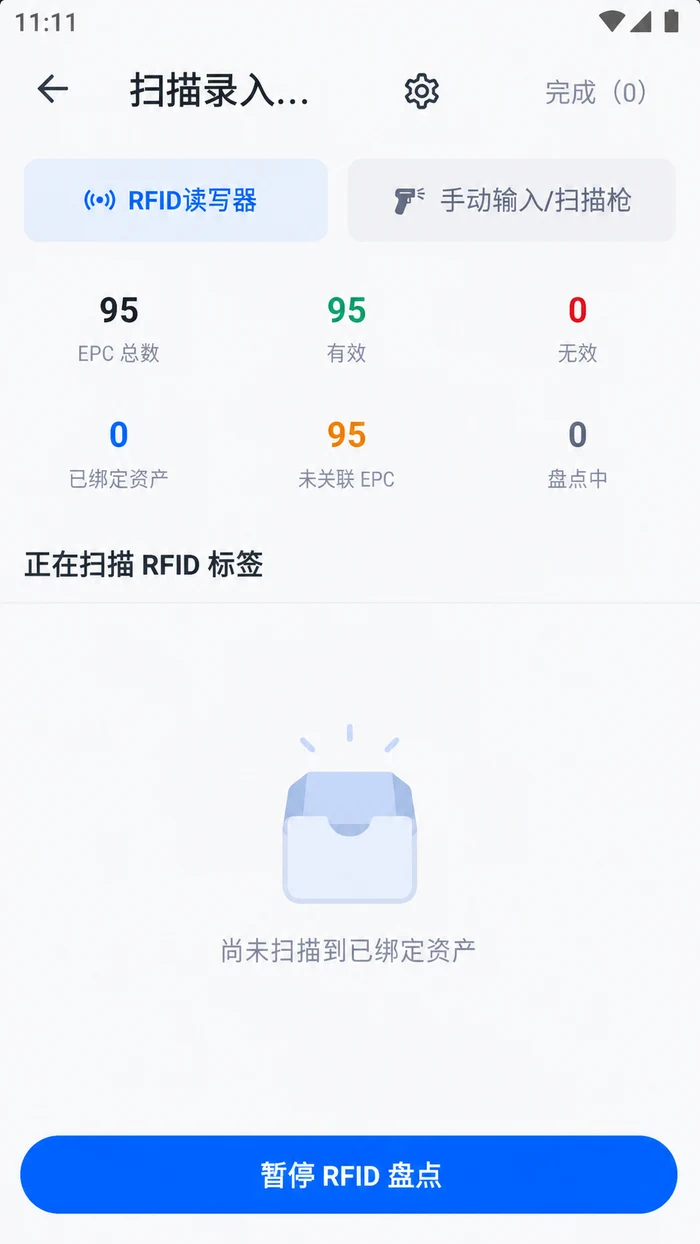
Build Asset Register, which covers identity, responsibility, location, status and history
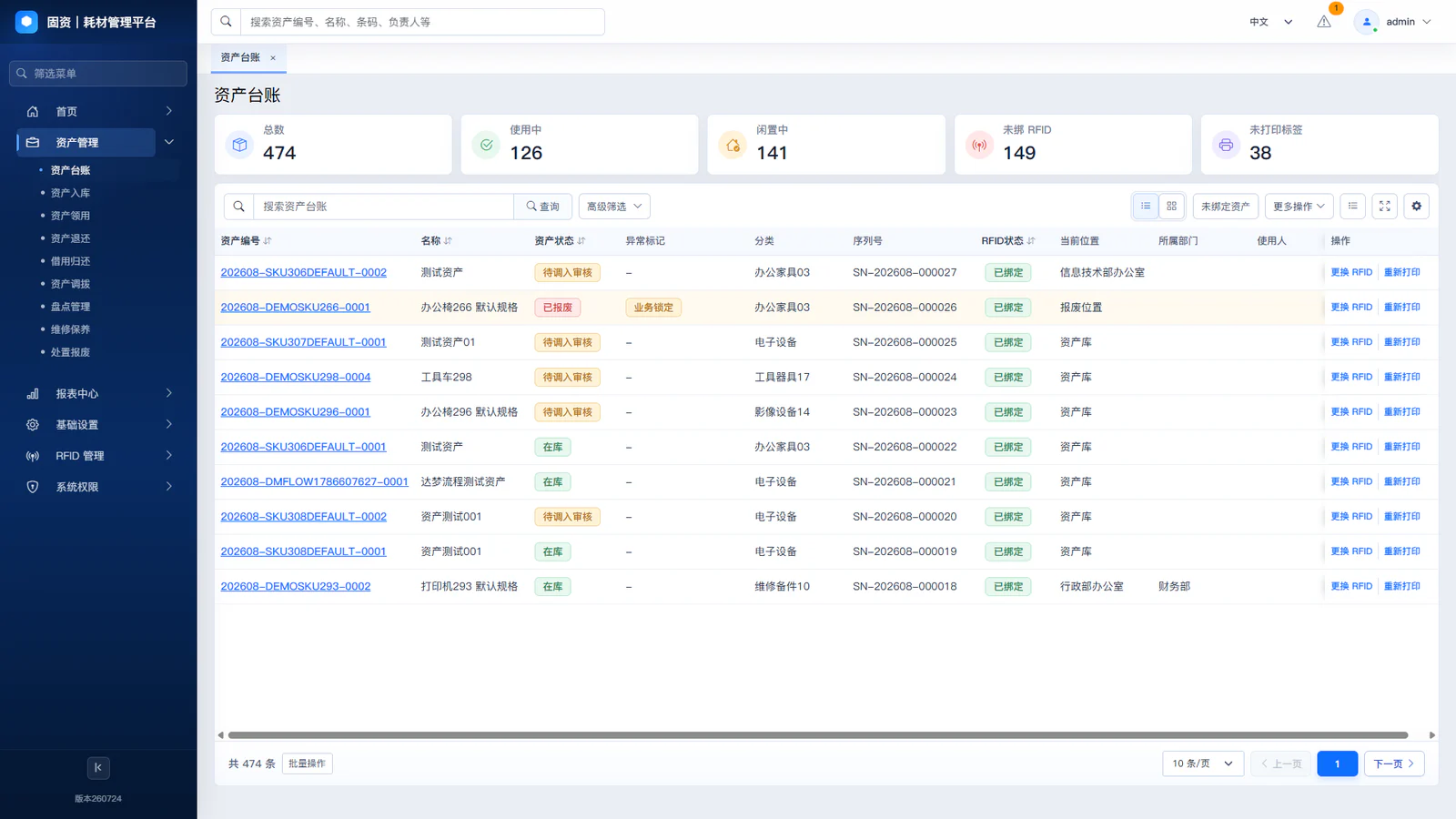
Asset number, name, classification, brand type and only physical identifier.
The company, the department and the current location of the deposit.
Users, user departments, responsible departments and managers.
Current state of life in storage, use, loan, maintenance, end-of-life etc.
(c) Inventory, access, loan, transfer, inventory, maintenance, end-of-life and disposal records.
Establish a system of linkages between assets and organization, responsibility, location and business records
Harmonized recording of basic information on asset identification, classification, numbering, brand size and value.
Associated companies, user and responsible departments, with clear attribution of assets.
Record current users, responsible persons and related management roles.
(c) To have access to the location of the assets and to their condition of storage, use, loan, maintenance, etc.
Connects the asset card to the physical object on the ground by RFID Tag, bar code or 2D code.
The basis for change is recorded in business documents and approval, execution and pre- and post-execution information is maintained.
Assets changes on site are not synchronized with Asset Register information
Single-asset-process management demonstration
View total assets, status distribution, departmental distribution, to-dos and recent business records.
Search for each asset according to its name, number, department, location, status or label information.
Check identity, responsibility, location, status, RFID/EPC and business information in the same asset card.
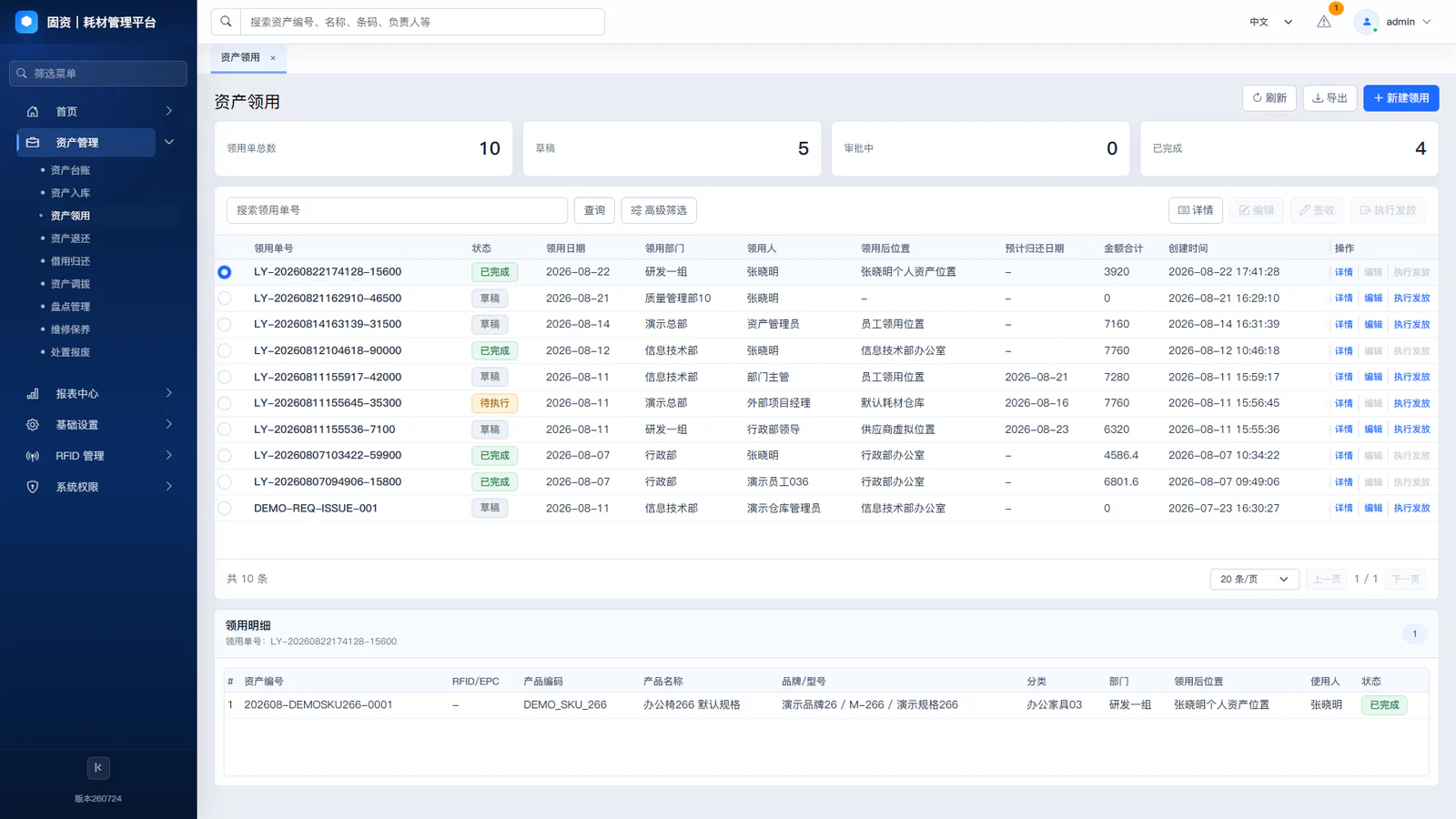
The request describes the business needs and approves the approval for permission; the actual handover of specific assets, personnel and location is confirmed at the implementation stage.
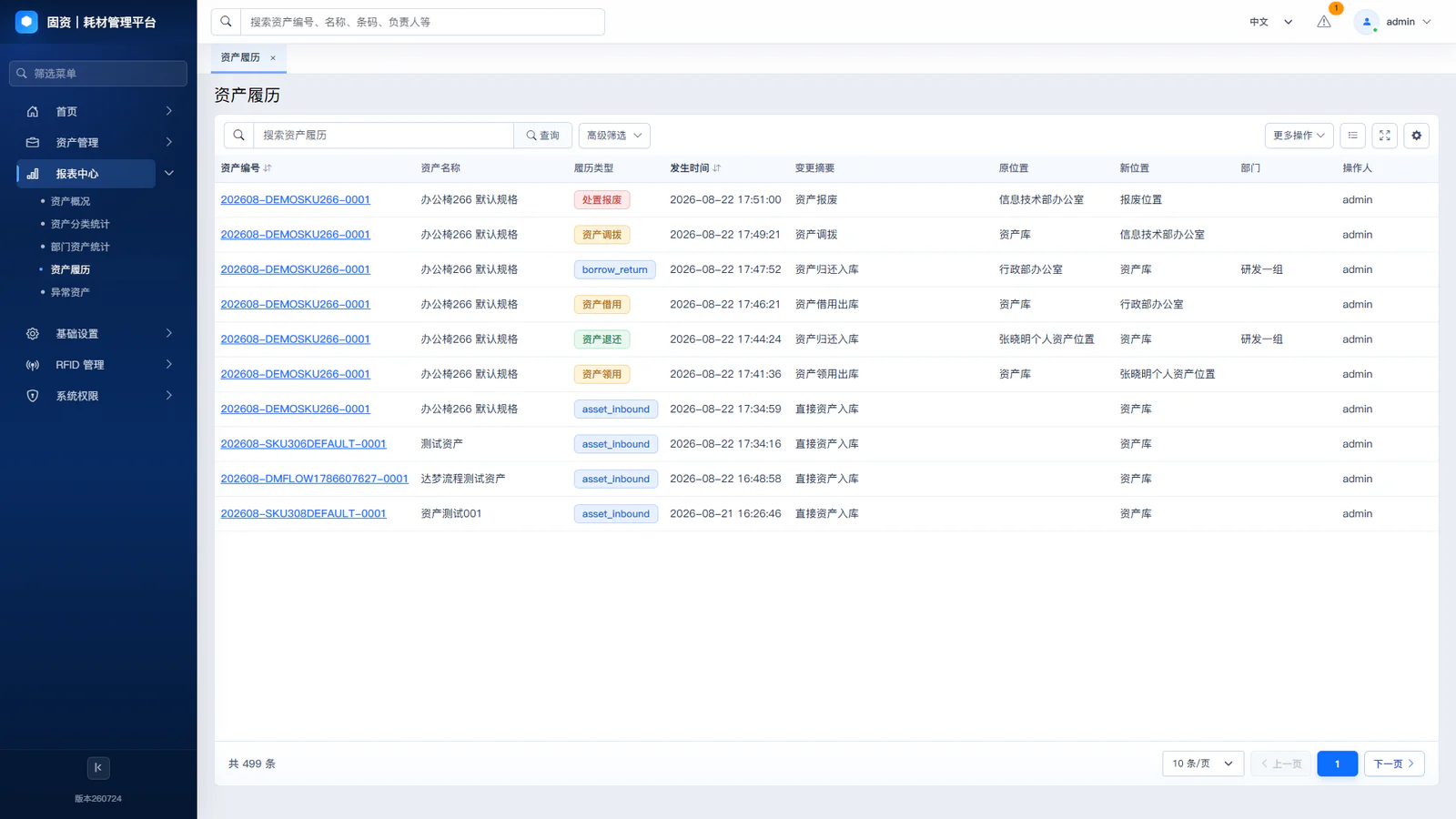
Only when actual implementation is completed will the system update the responsibility, location and status of the assets while maintaining information on changes and changes.
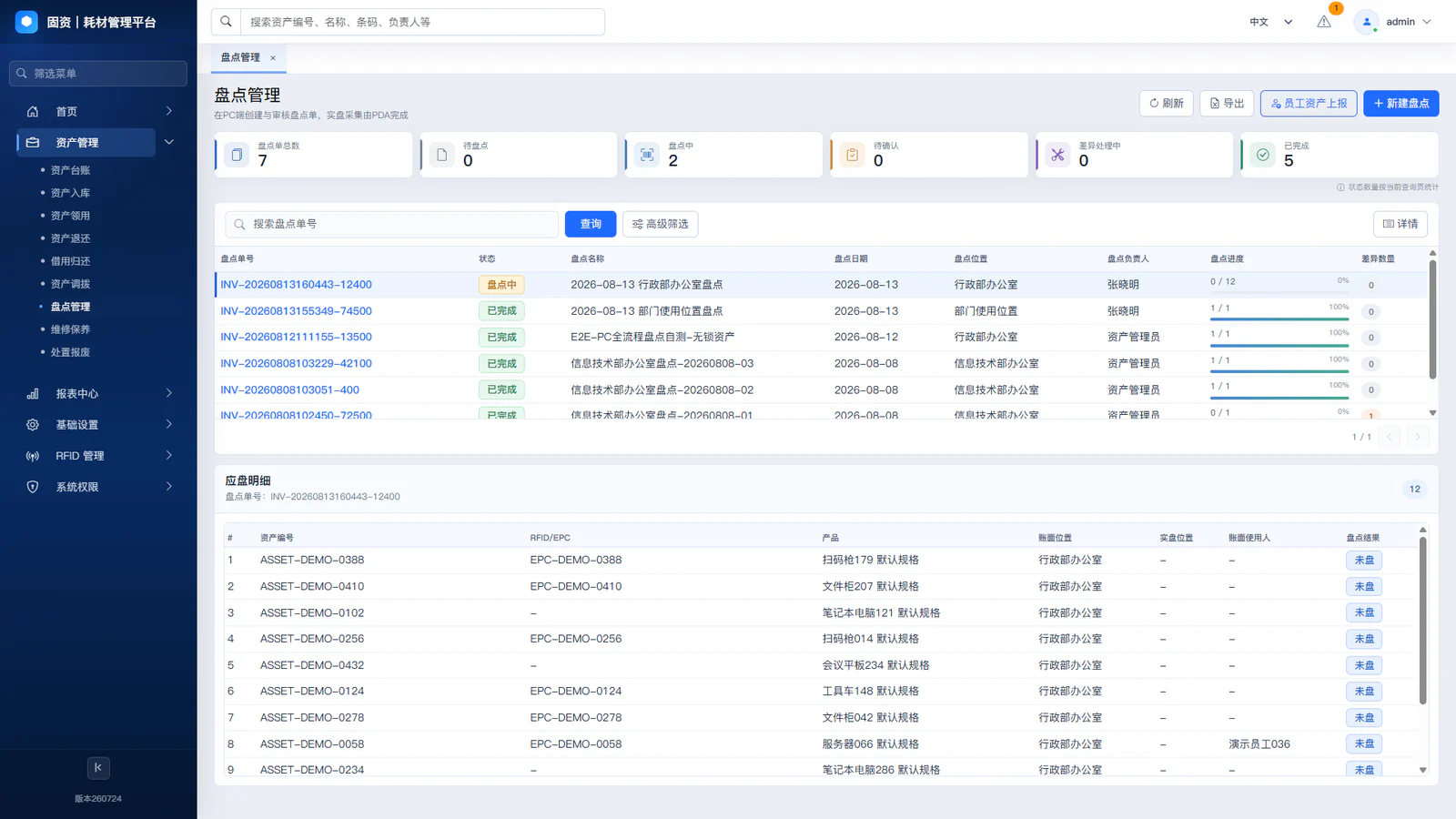
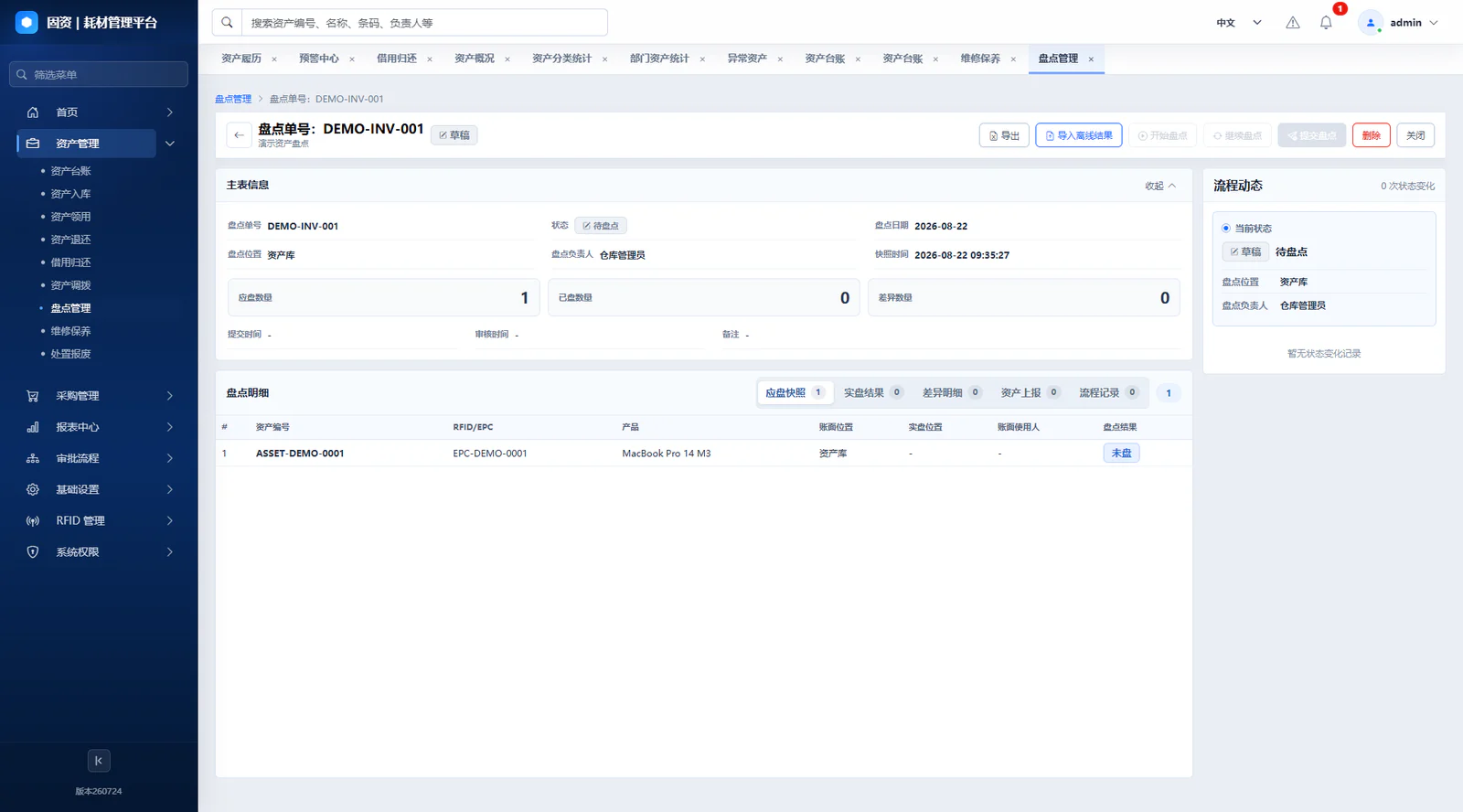
Establish an inventory scope and checklist, assign field tasks, scan results and enter discrepancies review.
Covering the life-cycle management of asset registration, use, change and disposal
Generating sources of assets to be registered
Build cards, number and bind labels
Confirmation of custodial responsibility and location
Request, clearance and handover
Update responsibilities, location and status
Completed operations and retained history
Asset Register replied, “What now?” and the asset history replied, “Why is it now?”
Build a full process business management capability around Asset Register
Centralizes the current identity, responsibilities, location, status and label of assets and supports multiple business dimensions of searching.
The change in assets is explained by business documents such as entry, access, loan, transfer, maintenance, end-of-life and so on.
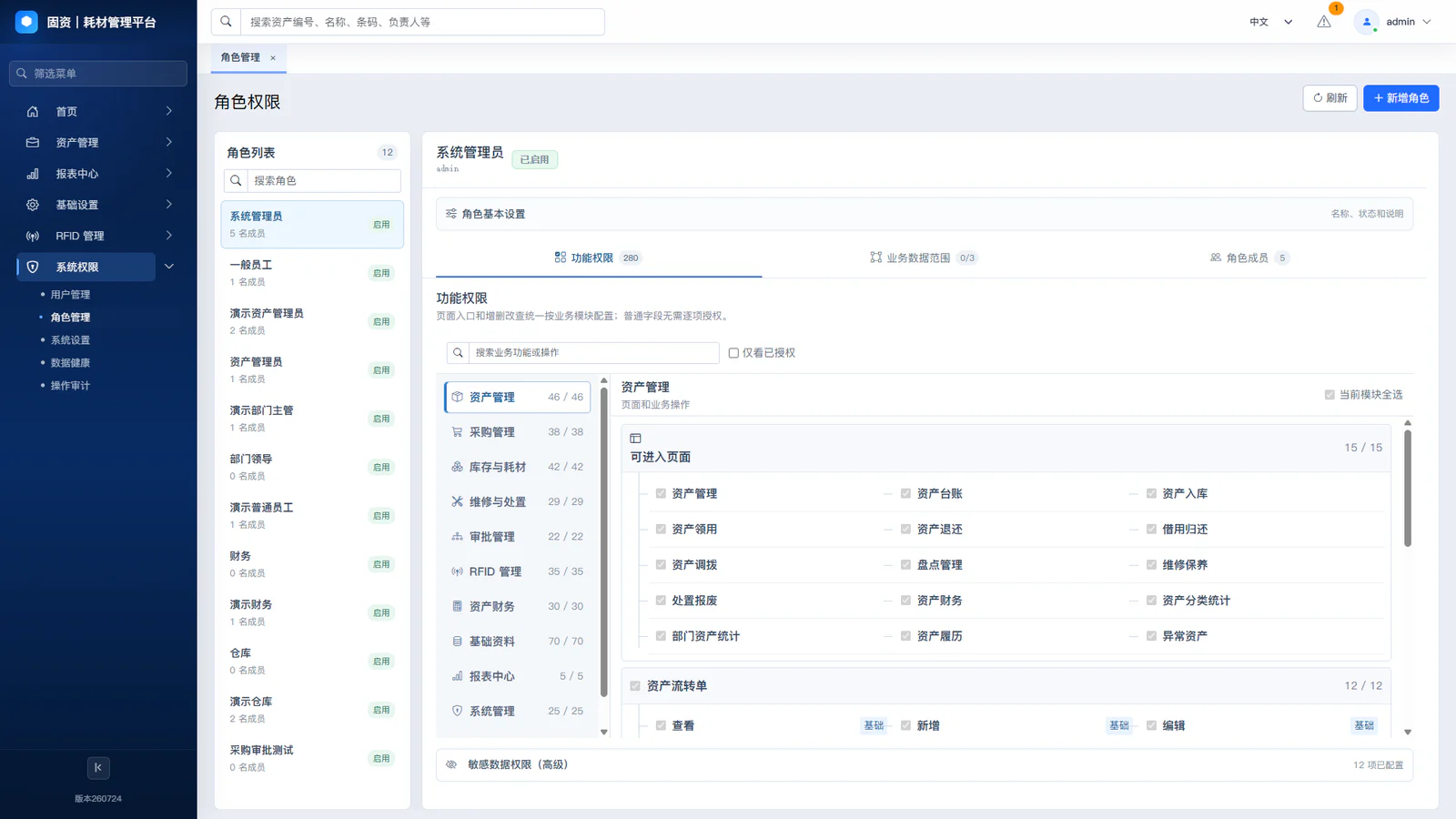
Approval to confirm whether operations are permitted and the transfer of specific assets during the implementation phase; and to update Asset Register after completion.
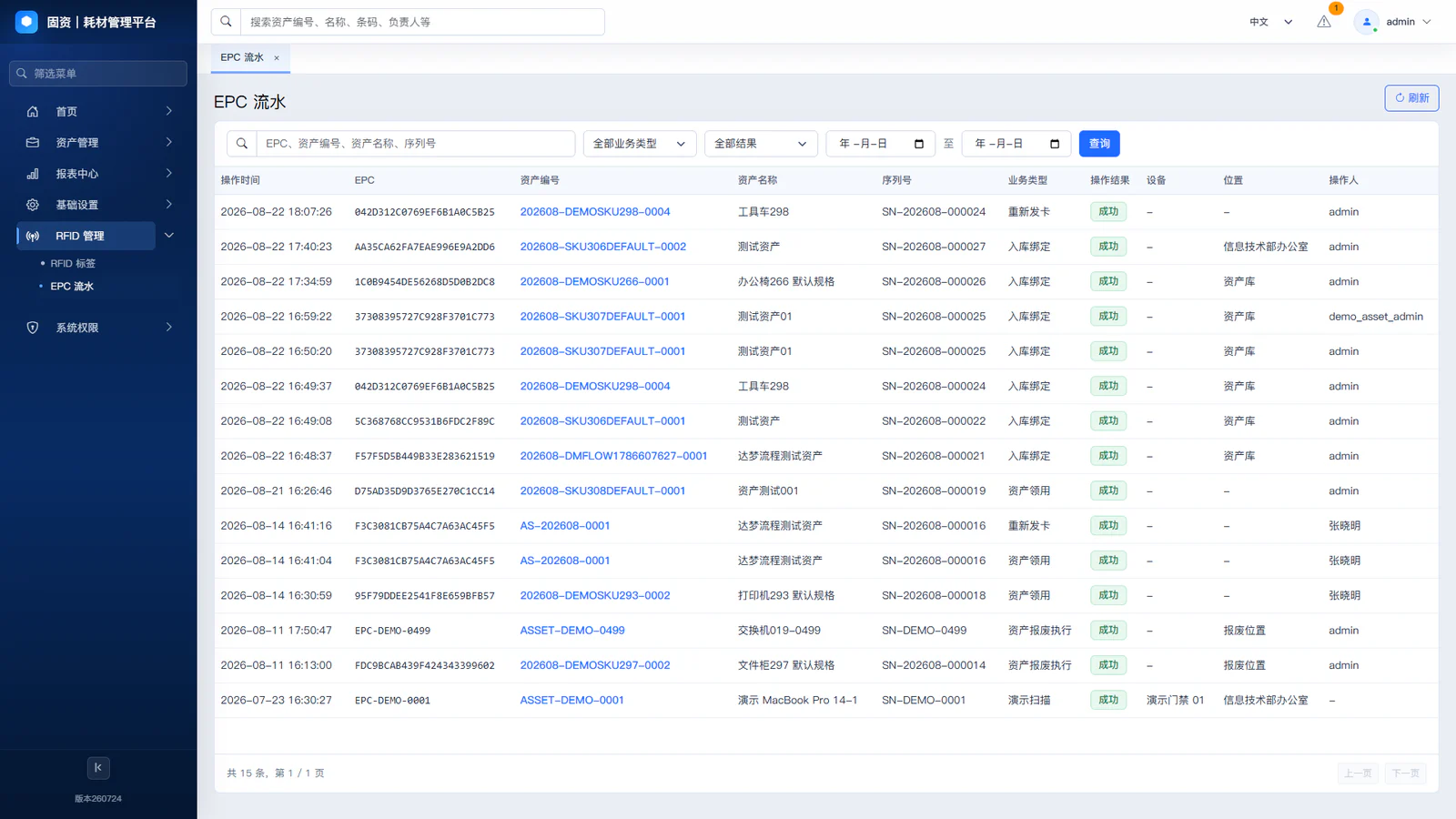
Manage RFID Tag binding status and query the relevant operating records through the EPC business stream.
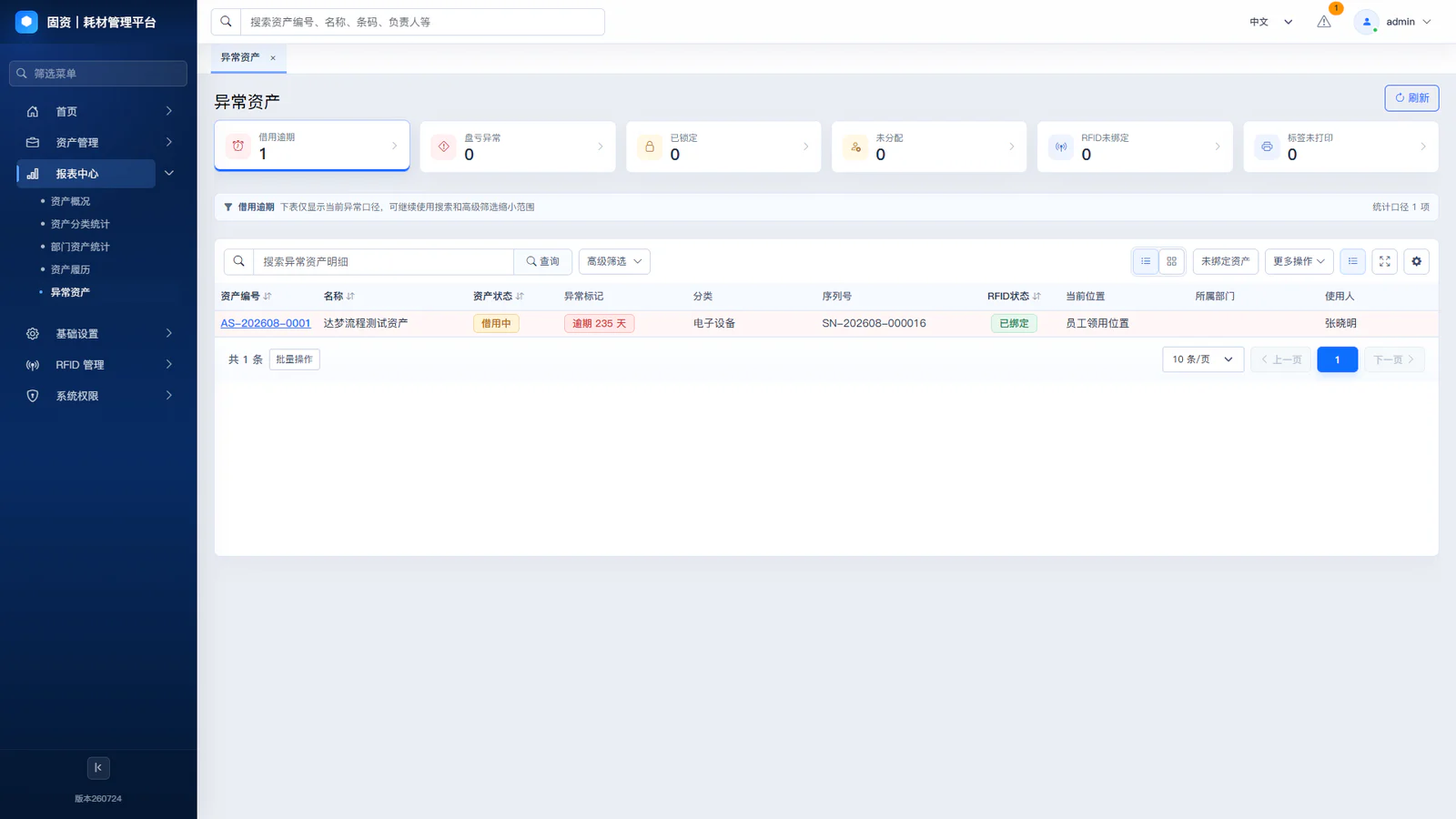
Focus on loan overtime, label anomalies, location discrepancies, inventory discrepancies and pending matters.
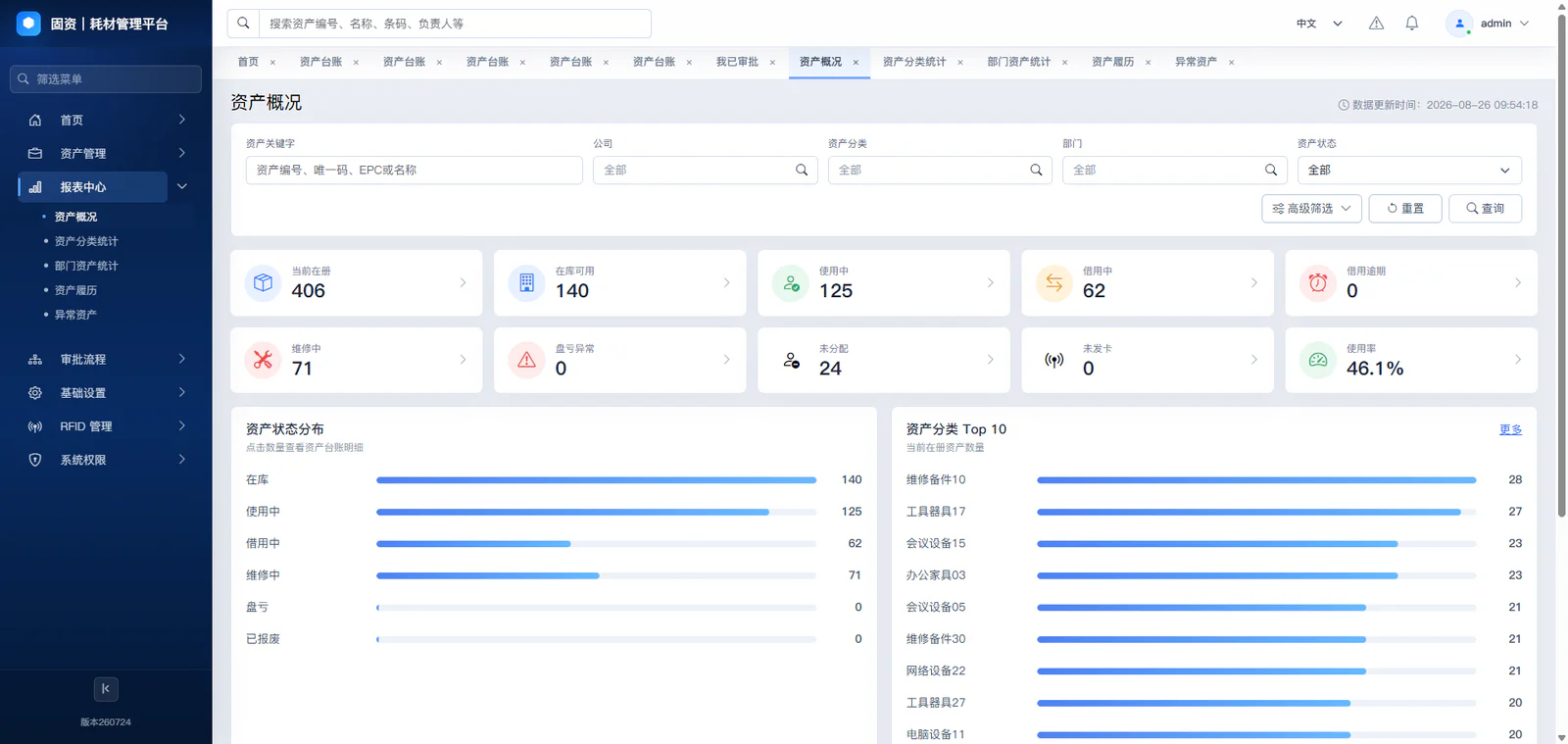
Asset management is understood from the dimensions of asset profiles, status distribution, distribution of responsibilities and handling.
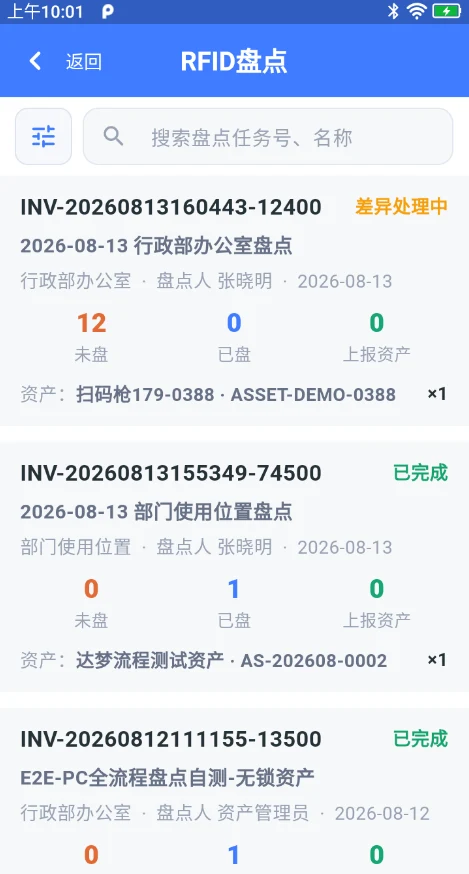
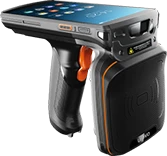
Overwrite RFID closed loops for task setting, site count and discrepancy processing
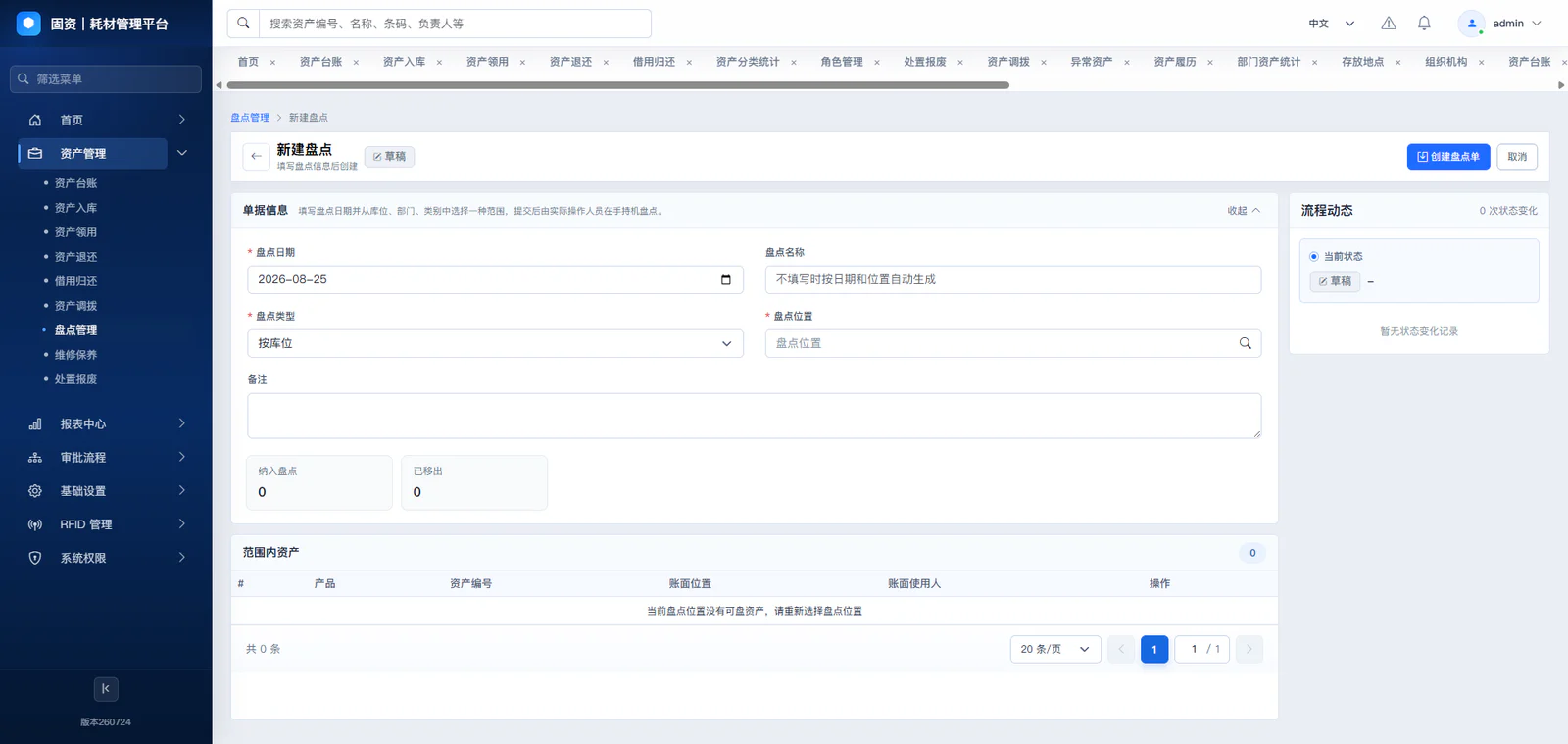
Quick-cleaning areas for rooms, warehouses and office areas.
For single-scrutinized confirmation and RFID abnormality review.
Additional special cases dealing with broken labels, unreadable etc.
Network unstable areas can be recorded and re-established and synchronized.
Inventory of discrepancies review and business closed-ring processing
Assets in the billboards but not found at the site are checked for temporary movement, loan, repair or damage to the labels.
Assets not included in the checklist were found at the scene, and cross-area, unstocked, old labels or duplicate markings were verified.
Physical location does not match the billboard, confirming should be placed or redeployed and updated.
The identity of the real asset is manually identified and the label is changed, re-belted or modified.
Domestic Platform Compatibility and Private Deployment

Adaptive national production operating system environment

Adaptable national desktop or server environment

Fit to Linux desktop or server environment

Support for the deployment of the national production database
It's deployed within the unit network, and data is controlled.
The interface with the existing approval entry points of the client, such as OA, Enterprise Micro-Credit, Nail, Flying Book, may be made according to the project; the scope is based on the project assessment and actual access results.
Select by organization size and business scope; capabilities follow the official edition specification.
Basic asset register
Daily asset management
Integrated group management
| Module | Mini | Basic | Advanced |
|---|---|---|---|
| Organization and users | Single organization | Multiple departments, role-based permissions | Group, multi-company, data permissions |
| Categories and coding | Categories, numbering | Multi-level categories, bulk import | Group standards, unified coding |
| Asset Register | Registration, lookup | Full register, status history | Cross-organization register, full audit trail |
| Receiving, asset creation and tags | Manual asset creation, tags | Receiving orders, bulk asset creation, tag printing | Procurement linkage, RFID, batch tracking |
| Issue and return | Basic issue and return | Issue forms, return forms, accountable person | Approval, sign-off, follow-up reminders |
| Borrowing and return | Not available | Borrow and return forms, due-date reminders | Multi-level approval, automatic reminders |
| Transfer and change | Not available | Department and location transfers | Cross-company transfers, full history |
| Asset Inventory | Basic inventory | Tasks, variances, import and export | PDA/RFID, surplus and shortage closure |
| Repair and maintenance | Not available | Repair requests, repairs, completion | Maintenance plans, costs, vendors |
| Scrapping and disposal | Basic scrapping | Scrap forms, disposal records | Assessment, residual value, disposal analysis |
| Procurement | Not available | Not available | Requests, orders, acceptance, receiving |
| Approval workflow | Not available | Not available | Conditions, multi-level, countersign, delegation |
| Asset finance | Not available | Not available | Financial cards, depreciation, posting, interfaces |
| Reports and alerts | Basic reports | Register, inventory, due-date alerts | Group analytics, custom dashboards |
| Mobile and RFID | Barcode lookup | Mobile transactions, barcode inventory | RFID/PDA, security gate integration |
| Integration and audit | Excel | Notifications | SSO, ERP, open API, audit |
Normative management mechanisms for the entire asset change process
Each physical asset corresponds to a separate asset card.
The account maintained the current facts and the history explained the reasons for the change.
The approval does not amount to a physical handover.
Update responsibilities, location and status of operations upon completion of operations.
Combining RFID, bar code, 2D code, manual and offline records.
Review of reasons, completion of operational processing and maintenance of records.
Adaptive national production operating systems, databases and privatization environment.
Recording information on initiation, approval, implementation and change.
Development of a consistent accounting, clear accountability and traceable process management system
The physical verification of Asset Register with the site is ongoing.
Make clear who's using and who's responsible.
The changes are explained through business documents and biographical data.
The issues are then reviewed and closed.
Assets were identified and the review was narrowed using RFID bulk.
The platform, with Asset Register as its core, establishes a separate asset card for each asset, linking asset identity, organizational unit, responsibility for use, location of storage, current status, label information, business documents and historical history.
The approval will not be completed by a direct equivalent to a physical handover.
The new product line covers the business of registering the inventory, taking, borrowing, returning, transferring, inventorying, maintenance, end-of-life and disposal, and records the basis for the change of assets through business documents.
The main feature of RFID is that it is possible to find nearby assets in bulk without the need to match the labels on a case-by-case basis.
The system first retains the results of the discrepancies, then undergos on-site review, confirmation of reasons, processing and validation of operations, and finally updates Asset Register and maintains a complete processing record.
The platform can be integrated with the project environment in the environments of galactic hyena, unis, national-based Linux and Dammam DM8 and support the privatization of the unit’s internal network.
The editions differ in organization scope and business coverage. Mini serves a single organization and covers the asset register, tags, issue and return, and inventory. Basic adds day-to-day operations such as receiving, borrowing and return, transfers and changes, repair and maintenance, and scrapping and disposal. Advanced serves groups and multi-company structures, and further provides procurement, approval workflows, asset finance, RFID/PDA applications, and system integration.
No. Procurement, approval workflow, and asset finance are Advanced-only capabilities; neither Mini nor Basic includes them. If your operations involve procurement, approval routing, or financial integration, choose Advanced.
Mini provides basic inventory. Basic supports inventory tasks, variance handling, and import/export, and can run mobile inventory with barcodes. Advanced supports PDA/RFID inventory as well as full surplus and shortage closure.
Contact Us
We will help you choose between Mini, Basic, and Advanced based on your organization size and management needs.